Buying & Replacing
Smart Home Basics: What Can It Actually Do for You?
Most people ask the same thing before they buy anything smart: will this make life easier, or will it just be one more thing to manage?
The answer comes down to planning. A well-built smart home is quiet. Lights go off when the house empties. The front door locks behind you. A sensor catches water under the sink while it’s still a towel-sized problem. Movie night starts with one sentence. You open the garage for a delivery driver from the grocery store parking lot.
What a smart home actually does
A smart home is a set of connected devices you can control, schedule, monitor, or hand off to automation. Lights, locks, thermostats, cameras, doorbells, garage openers, speakers, shades and sensors all count.
Some of them you drive from an app. Some answer your voice. The useful ones mostly run themselves, triggered by time of day, motion, your phone’s location, temperature, humidity, a door opening, or whether anyone is home.
What you’re buying is fewer small daily annoyances and an eye on the things that get expensive when they go wrong. A house with twelve apps and no routines has gadgets. A house where six things happen because you said three words has a system. The difference between those two is planning, which is the same work as any whole-home tech setup: decide what you want the house to do, then pick hardware that does it.
The everyday wins
Smart lighting is where most people first get it. Porch lights come on at sunset. Hall lights glow softly after midnight so nobody crosses a dark floor. The kitchen brightens on a weekday morning. The bedroom lamps go out from under the covers.
Lighting does quiet security work too. A lit entryway makes coming home at night easier. Lights on a varied schedule make an empty house look occupied. Motion-triggered lighting keeps you out of a dark garage or stairway.
Then there’s the small stuff that wins people over. You’re already in bed, the house is quiet, and the kitchen light is still on. One tap, or one sentence, and it’s handled, along with the doors, the thermostat and whatever else you told the bedtime routine to check.
A scene groups actions so they fire together. Say “it’s movie time” and the house runs down the whole list at once.
The same trick works for mornings, dinner, work hours, guests, travel and quiet time. Build them around habits you already have, because a routine you use every night beats an impressive one you trigger twice and forget. Scenes are the fiddly half of smart home setup. Hanging the hardware is the quick part. Teaching the house what to do with it is the work worth getting right the first time.
Presence detection is what makes those routines feel like the house is paying attention. Phone location, connected devices, motion sensors and door activity tell the system whether you’re home, away, arriving or leaving. A “leaving home” routine can shut off lights, ease back the thermostat, lock the front door and close the garage once the last person is gone. A “coming home” routine sets the entryway up before you reach it. Families, frequent travelers, and anyone tired of the did-I-lock-it feeling tend to keep that one running.
Locks, doors and deliveries
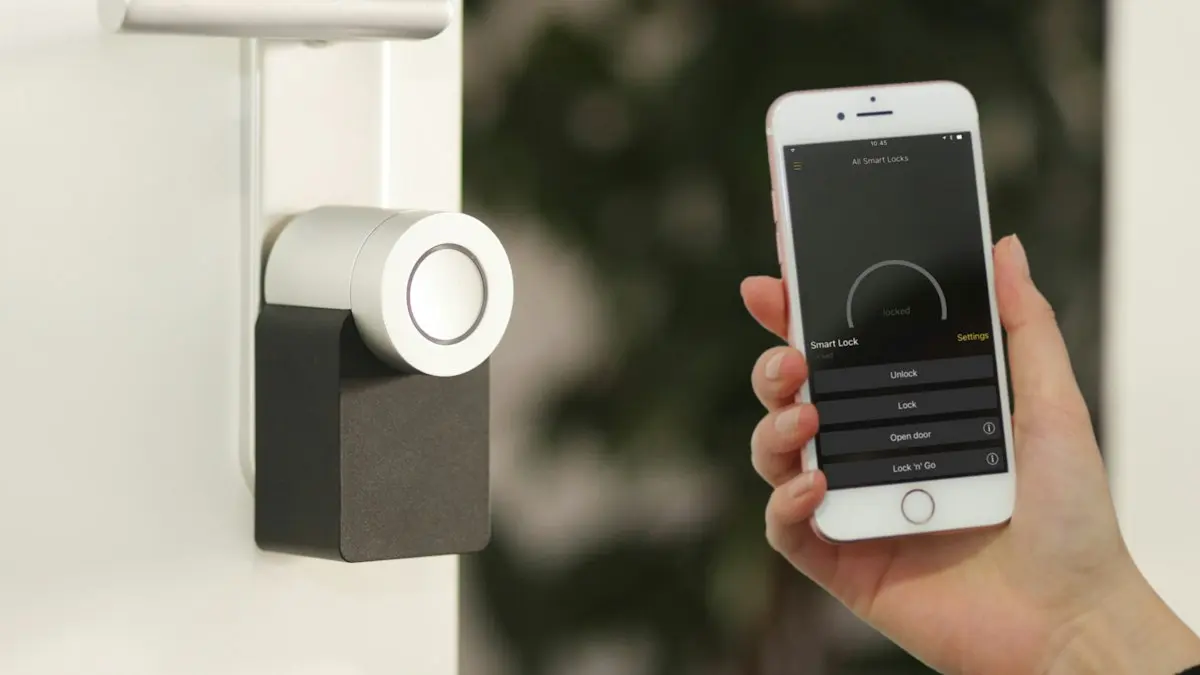
Smart locks and garage controllers change the daily choreography of getting in and out. Depending on the hardware, you can lock or unlock from your phone, hand out a temporary code, check from the road whether the door is actually locked, and open or close the garage from anywhere.
That covers a lot of ordinary situations: letting in a family member who showed up early, giving a house sitter a code that expires on its own, locking up from bed, confirming the garage is down three hours into a road trip, and taking someone’s access away without changing a lock.
Deliveries are the use people talk about most. A driver arrives while you’re out, you open the garage from your phone, watch the package land inside, and close it behind them.
Set access up deliberately. Know who holds a code, what alerts you get when a door opens, and how to remove someone the day they stop needing in.
The devices that protect the house
Comfort is the easy sell. The sensors that save you money are the boring ones.
A water leak sensor is a small puck that sits where water shouldn’t be and shouts when it finds any. Humidity sensors run a slower version of the same job, catching damp before it turns into a stain on the drywall. They belong in the spots nobody checks from one month to the next.
Places a leak sensor belongs:
- Laundry room
- Bathroom
- Kitchen
- Utility room
- Water heater closet
- Basement
- Under sinks
- Near a refrigerator with a water line
A warning at two in the morning gives you a chance to close a valve. Finding that same leak on Saturday gives you a flooring estimate. For plenty of homeowners, that trade is the entire argument for smart home gear.
Smart thermostats earn their spot by working every single day. Instead of adjusting the temperature by hand, yours can follow a schedule, ease off while the house is empty, run one plan on weekdays and another on weekends, hold a different setting overnight, and let you check the indoor temperature from somewhere else. Most will show you heating and cooling patterns too, which is how people notice a system starting to struggle.
Cameras and video doorbells answer the who’s-at-the-door question and watch the parts of the property you can’t see from the kitchen window. They work with everything else, too: motion at the front step can switch on the porch light, a doorbell press rings your phone wherever you are, and a camera confirms the package made it.
Planning matters more than hardware here. Decide where a camera genuinely earns its view, then be ruthless about notifications. A phone that buzzes for every passing car gets muted inside a week, and a muted camera tells you nothing.
Staying independent at home
This technology does some of its most useful work for a parent who wants to stay in their own house. Lights that come on by themselves after dark. A lock the family can check from town. Sensors that notice when the usual rhythm of a day changes. A voice assistant for reminders when the phone is in the other room. One simple control for lights and temperature instead of four remotes. Leak alerts. A doorbell camera, so answering the door becomes a choice rather than a surprise.
All of it works alongside the people who check in, taking the fiddly parts of the day off the list: fewer trips across a cold floor, fewer things to keep track of.
It helps that most of the follow-up questions can be answered without anyone driving over. We handle app and account fixes through remote support all the time, which is often what stands between a small frustration and a device that quietly gets unplugged.
Why your WiFi decides whether any of it works
A lot of the smart home complaints that reach us on the phone turn out to be network complaints. Devices drop offline, notifications land late, cameras stall before the live view ever appears, automations fire some days and skip others.
Prescott-area homes make that worse than average. Plaster and lath, block walls, long lots, detached garages and a camera hung on the far corner of the house all work against the signal. We wrote up the local version of this story in why WiFi is so bad in Prescott.
Treat these as evidence about the network rather than the device:
- Devices dropping offline at random
- Cameras that load slowly or stall out
- A doorbell that misses motion events
- Garage controls that take too long to answer
- Lights that respond inconsistently
- An app showing devices as unavailable
- Rooms where phones and laptops limp along too
When several unrelated devices misbehave at once, the common factor is usually the network. Start with the quick WiFi fixes that cost nothing. If the router itself is the weak link, our walkthrough on setting up a WiFi router covers placement and the settings worth changing. When the house is simply bigger than the signal, that’s a coverage and cabling problem, and WiFi and networking work is the fix.
Keeping a connected house secure
Every smart device is a small computer on your network with an account attached. Treat it like one.
The basics carry most of the weight: strong, unique passwords on every device account, multi-factor authentication wherever it’s offered, apps and firmware kept current, old users and access codes removed the moment they go stale, notification settings reviewed so you actually see what matters, recovery information kept up to date, and gear from companies that still ship updates.
A dozen unique device passwords is more than anyone can hold in their head, which is exactly what a password manager solves. Our guide to password managers and safe password practices is the place to start. Then turn on multi-factor authentication on the accounts that control your locks and cameras first, since those hold the keys to the house.
Where to start
Start with the problem, not the product. Pick the thing that annoys you most often, buy the one device that solves it, and live with it for a month. Add the next piece once you know what it is.
- You keep forgetting the lights: start with smart lights in the rooms you use most.
- You worry about leaks: start with leak sensors where water starts.
- Deliveries land while you’re out: start with a video doorbell or a smart garage controller.
- The house is never quite comfortable: start with a smart thermostat.
- You check the door twice: start with a smart lock.
A house that does four things reliably beats a house that does thirty things unpredictably. You can always add.
Want a second opinion before you spend anything? We’ll say plainly when a gadget isn’t worth the money, and what your network needs to be before it will carry one. Smart home visits carry no trip fee and no diagnostic fee anywhere in the Arizona Quad Cities. Click here to see our current pricing.
Call us at (928) 583-4454 and tell us what you wish your house would do. We’ll tell you what it takes to get there. If we’re out on a call, the contact form gets you the same answer by email.