“I would lose everything if this died”
Data backup in Prescott
Every household has files that would hurt forever to lose: the photo library, the tax records, the genealogy project. A good backup is cheap and quiet, and setting one up usually takes a single session.
Any of this sound like your week?
- Everything lives on one aging computer
- The last backup happened… at some point
- Photos are spread across three phones and a drawer of USB sticks
- You pay for iCloud or Google storage but could not say what is actually in it
- A drive already failed once and you got lucky
- There is an external hard drive that was a backup plan a few years ago
Backup setup is billed at our standard rates: $160 an hour on-site with a 1-hour minimum, or $80 for a 30-minute remote session, with no trip fee and no diagnostic fee. Most setups fit in one session; after that you are only paying for storage, whether that is Microsoft 365, Carbonite Safe Basic at about $96 a year plus tax, or an external drive you already own. On-site, you will know exactly what we are doing within the first half hour, and we check in before spending more of your time.
Most backup setups are a single session, usually remote; after that you are only paying for the storage itself.
What we actually do
How this gets fixed
-
We find what needs protecting
Photos, documents, email and the family recipe file, wherever they hide, phones included. Most households are surprised how little there is; it is nearly always less than they fear.
-
We set up two copies, not one
A cloud copy for disasters and, when you have a drive, a local copy for fast recovery. Our standard recommendation is Microsoft 365 with OneDrive; Carbonite when that does not fit. Automatic and boring.
-
We make sure it actually runs
A backup nobody ever checks is a rumor. So the session ends with the system genuinely running: the first upload underway, an honest estimate of when it will finish, and a written note of where everything lives so you are never guessing.
Backup setup is excellent remote work. Most of it happens on your screen while you watch. We come out when a new drive needs plugging in, or when it is easier to sort the photo drawer together.
Sync is not backup
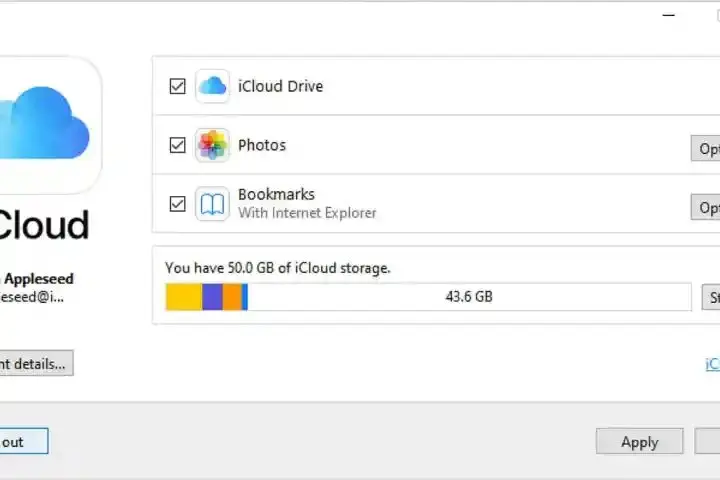
The question we hear most is some version of "I pay for iCloud, so I am backed up, right?" Usually not, and the distinction matters. iCloud, OneDrive and Google Drive are sync services in their normal configuration: their job is making every device show the same files. Delete a photo on your phone, and sync dutifully deletes it everywhere else too.
A backup is a separate copy that keeps old versions and deleted files, so a mistake on one machine cannot reach it. Some of these services can be configured to behave like real backup, and part of our setup is telling you what your current storage plan actually protects. The longer version is in our plain-English guide to the cloud.

What we set up, and what it costs to run
For most clients the answer is Microsoft 365 with OneDrive: it covers the folders where life actually accumulates, and most households want the Office programs that come with it anyway. When that does not fit, we are Carbonite partners; Carbonite Safe Basic runs about $96 a year plus tax and quietly backs up the whole computer.
If you already own an external drive, we will put it to work. We set up backup software with the drive you have rather than selling you a new one.
The first upload sounds scarier than it is. Most households we work with have under 200GB of data to protect, and on a typical Sparklight cable connection a first backup that size usually finishes within a day or two, running in the background while you use the computer normally.
What's included in a backup setup
One session, and the goal is a system that runs without you thinking about it. Here is what actually happens:
- Inventory: photos, documents, desktop, email, and anything hiding in odd folders
- Phone check: the pictures on your phone are usually the least-protected data in the house
- Cloud backup configured: Microsoft 365 with OneDrive, or Carbonite when it fits better
- Your existing external drive set up with backup software, if you have one
- The first backup started, with a realistic estimate of when it will finish
- Plain-English notes on what is backed up where, with the logins recorded somewhere you will find them
Monsoon season
Backup pitches usually lean on hypotheticals. Monsoon season is not one. Every summer we see older machines killed by power surges; we replace them and put the new one behind a UPS. An afternoon cell rolling over Prescott Valley or Chino Valley gives no warning before the lights blink, and a surge that ends a computer cannot touch a copy stored in the cloud.
If you are outside the Quad Cities entirely, or out of Arizona altogether, backup setup is one of the easiest things we do remotely, nationwide.

Shop, house, or screen share
Backup setup is the easiest thing we do remotely, and $80 for a half-hour session is usually where it should start. Configuring OneDrive or Carbonite has never needed the machine in front of us.
Two cases make the Tek Shop worth the trip from November 1, 2026. One is an external drive that won't mount or won't stay mounted, which is Tek Counter work at $40 when it turns out to be a cable, a port or a driver. The other is a computer already checked in for something else, where getting a real backup running while we have it saves you a second appointment.
Sorting the photo drawer, plugging in a new drive and deciding what actually matters is still kitchen table work. The first upload runs on your own connection wherever the machine sits, so leaving it with us buys no speed.
Already lost something?
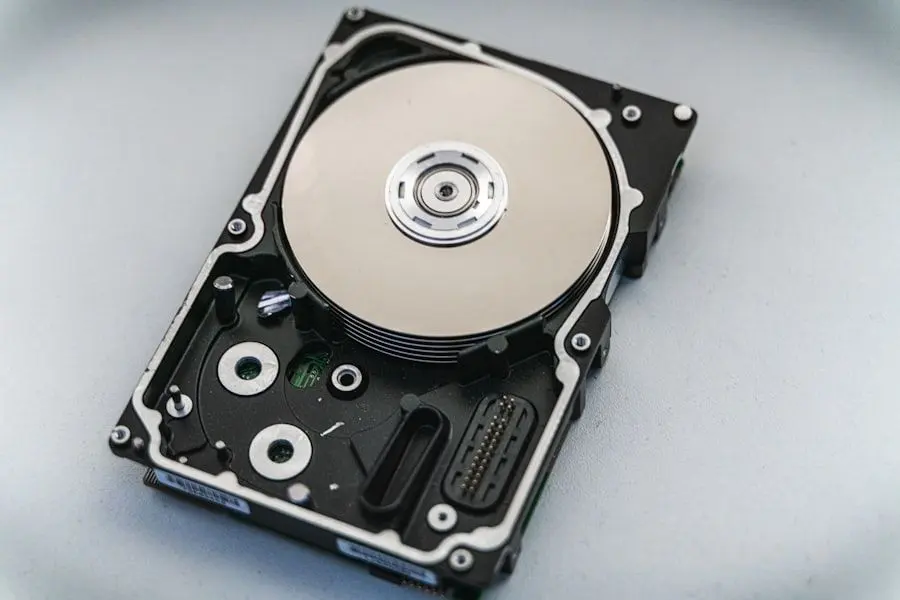
Honest scope: we do basic data recovery, meaning deleted files, failing-but-still-alive drives, and drives pulled from computers that will not boot. We do not do cleanroom work on physically damaged drives, and it is genuinely rare that anyone needs it. If your drive is making noises or files have started vanishing, stop using it and call; the details are on our data recovery page.
The quiet bonus of a good backup arrives the day you replace the computer. When everything already lives in OneDrive or on a backup drive, moving to a new machine stops being a dreaded weekend and becomes a sign-in.
“The IT upgrade has worked well for our organization and knowing everything is being monitored and backed up is worth every penny. The remote IT support Niles offers is highly responsive and our issues are fixed with proficiency.”
Keep it from happening again

Our recommendation: OneStop Ultimate
A backup only pays off if it is still working when you need it. Ultimate adds error monitoring on the machine, surfacing problems early, so the system we set up stays healthy long after the session ends.
OneStop Ultimate is $65/month.
Prefer to try it yourself first?
Free guides from our Tech Tips
Written by the same techs who'd answer your call. No strings attached.
Common questions
How much does backup setup cost?
The service call is our standard rate: $160 an hour on-site or $80 for a 30-minute remote session, with no trip fee and no diagnostic fee, and most setups fit in one session. The only ongoing cost is whichever storage you land on; for many clients that is just the Microsoft 365 plan they wanted for the Office programs anyway. Full rates are on our pricing page.
How long does it take?
The setup session typically runs 30 to 60 minutes remotely. The first upload then runs on its own in the background; how long depends on your connection and how much you have, but it usually wraps up within a day or two, and the computer stays usable the whole time.
Can you set up backup remotely, or do you need to come out?
Remote is the normal way, and it works anywhere in the country. We come out when a new external drive needs connecting, or when there is a drawer of old USB sticks and memory cards to consolidate first.
Do you back up Macs?
Yes, including Time Machine, Apple's built-in local backup, paired with a cloud copy for disasters. We also make sure iPhones and iPads are backing up, though we do not repair phone hardware.
I pay for iCloud. Isn't that a backup?
Usually it is a sync service rather than a true backup: its job is keeping every device identical, so a deletion on one device spreads to all of them. A real backup keeps old versions and deleted files out of harm's reach. We will tell you plainly what your current plan does and does not protect.
I already have an external hard drive. Can you use it?
Yes. If you already own a drive, that is the one we will use; there is no reason to buy new hardware for the job. We will also be honest that a drive alone is not the whole answer: it lives in the same house as the computer, which is exactly the problem during a power surge, so we pair it with a cloud copy.
Who notices if the backup quietly stops working?
That is the real weak point of most backups: they fail silently. On OneStop Plus and Ultimate, error monitoring on the machine surfaces problems so we can step in early. For everyone else, verifying backups is a standard step in every tune-up we do.
What if my files are already gone?
Stop using the computer and call us; every hour of use lowers the odds. We handle the basic situations ourselves, and we are upfront that cleanroom recovery of physically damaged drives is beyond our scope, which is exactly why this page exists.
What happens if it can't be done on my machine?
You pay for the time, and we never run the clock without telling you; if we hit a wall, we say so and stop. In practice, a machine too old or too full for a clean backup setup usually gets a different honest recommendation, like replacing it before it fails rather than after.
Will this make replacing my computer easier?
Dramatically. When your files already live in OneDrive or on a backup drive, moving to a new machine is mostly signing in, and the data transfer that scares people stops being scary. It is the best argument for setting up backup before the old computer forces the issue.
Do phone photos count?
They are usually the most valuable and least protected data in the house. We make sure the phones back up automatically and that the family photo library is actually catching everything.
We provide data backup for homes throughout Prescott, Prescott Valley, Chino Valley and Dewey-Humboldt. We also work by phone and remote, nationwide.
In your home
Prescott, Prescott Valley, Chino Valley, Dewey-Humboldt (Arizona's Quad Cities).
By phone & remote
Remote support and OneStop Memberships reach all 50 states.
Get Connected. Stay Supported.
Ready to be done with this?
Call now. If it's remotely fixable, it can be handled today.
Call TekStop at (928) 583-4454 Monday–Friday, 8am–5pm. Closed all federal holidays and Black Friday.
After hours, you'll get an emergency option. Emergency work is billed at $320/hour.