“My computer says storage is full”
SSD & memory upgrades
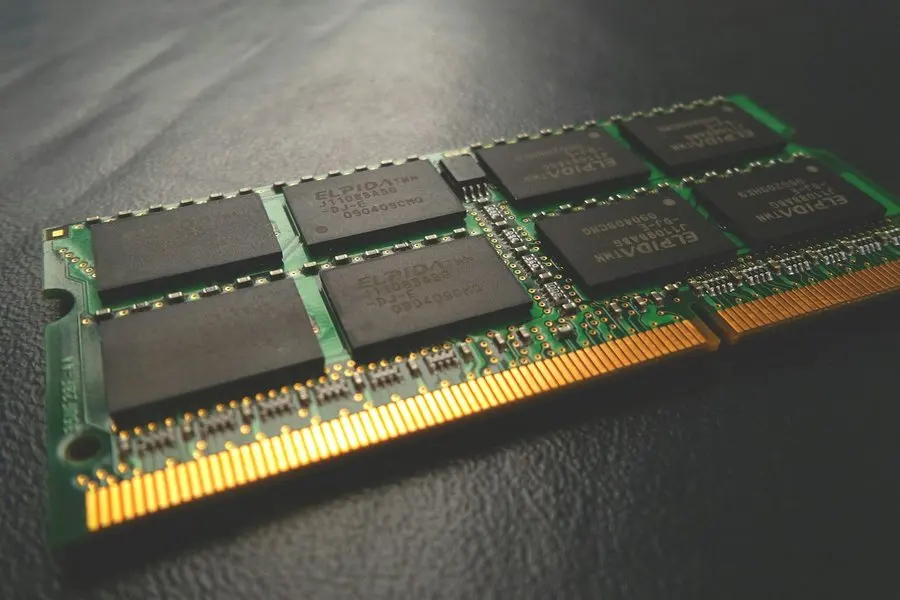
A computer that's out of storage or starved for memory can feel finished when it isn't. If the machine is worth keeping, a bigger SSD or more RAM is the cheapest real speed you can buy, and we bring the part to your desk and install it there.
Any of this sound like your week?
- "Your storage is almost full" pops up every single day
- Windows can't update because the disk is full
- Boot-up takes minutes, and opening a folder means watching a spinner
- It freezes with more than a few browser tabs open (not enough memory)
- The computer is running slow, but it feels too young to replace
- Someone quoted you a whole new computer for what sounds like a small problem
An SSD typically costs $150–$250 in parts, and installation runs 1–2 hours of labor at our standard $160/hour; the range mostly depends on how much data has to move. There's no trip fee and no diagnostic fee. Your time starts when your technician is dispatched, so you pay for the drive out, one direction only, never both.
The part typically runs $150–$250 plus 1–2 hours of labor. If the honest answer is a new computer instead, we say so before you spend it.
What we actually do
How this gets fixed
-
We check that an upgrade is the right call
We measure drive health and memory pressure in front of you, weighed against what the machine is worth. Within the first 30 minutes you get a plan and a price, and if the repair-or-replace math says a new machine instead, we say so before any part gets ordered.
-
We supply the part and clone your drive
We shop for the right SSD or memory and deliver it, then copy your existing drive completely, encryption and all. Files, programs and settings come across exactly as they were.
-
We install it and prove the difference
We make the physical swap, then walk you through the first boot so you can see everything where you left it. If a part had to be ordered, the return visit typically lands in 2–3 days.
The decision half is good remote work: a screen-share can check drive health and memory use and tell you whether an upgrade is worth it, often inside the 30-minute minimum. The swap itself is an in-home visit. There's no remote way to install a drive.
Upgrade or replace: the honest math
Our repair-or-replace rule is public, and upgrades get held to it too: when the work costs more than about half of a suitable replacement, we recommend replacing the machine instead. An SSD plus labor is real money, roughly $310 to $570 all-in: easy to justify in a 3-year-old computer, harder in a 9-year-old one. When the math says replace, our new computer setup service handles the whole move, and there's no separate diagnostic fee for finding out.
The other honest caveat: an upgrade only helps when storage or memory is actually the bottleneck. The slow computers we see are, most often, old enough to replace, then internet and WiFi trouble, then bloatware and bad browser extensions. If the evidence points at software rather than hardware, a computer tune-up (usually a remote session in the $80–$160 range) beats buying a part you didn't need.

What an upgrade visit includes
You get your same computer back, just quick. That's the promise of a clone over a fresh start: nothing needs reinstalling and no passwords go missing. For a moment mid-swap you own two complete copies of everything; if you don't have a real backup, it's the right week to start one.
- Health and capacity check on the current drive (failing and full are different problems)
- A straight recommendation: SSD, memory, both, or neither, judged against our repair-or-replace rule
- We shop for and supply the part; SSDs typically run $150–$250
- A complete clone of your existing drive, encrypted drives included
- Installation and a first boot that shows your files exactly where they were
- A look at whether a real backup is in place
- Your questions answered before we pack up
At your desk in the Quad Cities
We've worked from Prescott since 2017, and there's no trip fee in Prescott, Prescott Valley, Chino Valley or Dewey-Humboldt; your time starts when your technician is dispatched, so you pay for the drive out, one direction only, never both. The upgrade can happen where the computer lives, so nobody has to unplug a desktop and live without it for days over a part swap.
Geography shapes the method. A clone moves your data over a cable in an afternoon. The cloud alternative runs into local physics: upload is the weak direction on many connections here (the same reason video calls freeze while Netflix plays fine), and a first full-drive upload typically takes a day or two, a wait a Chino Valley or Dewey-Humboldt address doesn't need. When the right drive isn't on hand, we order it and return, typically in 2–3 days.
Hand it over for the swap, from November 1
A drive or memory upgrade suits the Tek Shop well, and the flat price makes the decision easier to look at. Adding memory or fitting a straightforward SSD is Tek Standard, $160. Replacing the boot drive and migrating everything across is Tek Core, $240, because the clone is most of the work. The part sits on top: SSDs typically run $150 to $250, we order and supply them, and you see that number before anything is ordered.
Flat pricing earns its keep on this job. A clone can run for hours with nobody touching it, and a big one sometimes runs overnight, but the tier follows the work rather than the stopwatch. With the drive on hand it's a 1 to 2 day turnaround, and under a week when one has to be ordered.
In-home still wins for a desktop that's part of a desk, or when you want the machine back on your own network and printing the same afternoon. That's $160 an hour, and you're never required to bring it in.
An action plan in the first 30 minutes
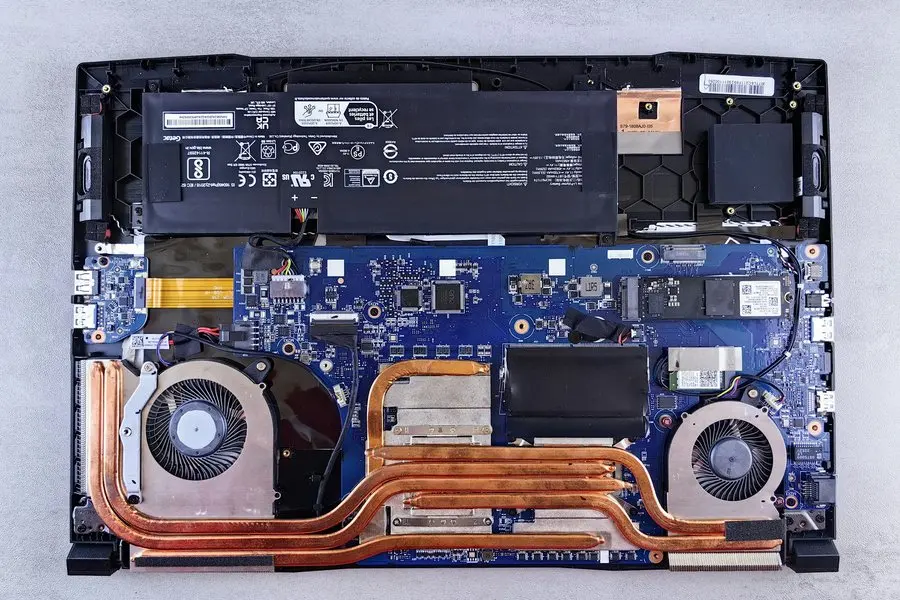
On-site, you'll have an action plan within the first 30 minutes: which drive, what size, what the part costs, and whether we think this machine has earned it. Nothing gets ordered until you've agreed to a number, and on anything complicated we keep checking in before spending more billable time.
A big clone can run a long stretch with nobody touching the machine. We never run the clock without telling you, and if the job can't be completed, you pay for the time actually spent, told to you as it happens rather than discovered on the invoice. Rates live on the pricing page.
It's out of storage, but I don't want a new computer
About 3 hours of work, 2 hours on the bill
A client's Microsoft Surface had run out of storage, and they didn't want to replace a machine that otherwise still worked. Fair enough. We ordered a larger SSD and brought it to them, and found the old drive was encrypted. We worked around the encryption and completed the clone anyway.
The clone ran long. Rather than bill for the waiting, our technician paused the clock and drove to his next service call, then came back to finish the installation. About 3 hours of work, 2 hours on the bill.
Keep it from happening again

Our recommendation: OneStop Plus
OneStop Plus fits this page: the upgrade makes the machine quick again, and Plus keeps it that way with anti-malware, Windows patching and error monitoring, while its 20% labor discount applies to jobs like this one.
OneStop Plus is $50/month.
Prefer to try it yourself first?
Free guides from our Tech Tips
Written by the same techs who'd answer your call. No strings attached.
-
 How to Fix a Slow Computer (Without Buying Anything) The honest checklist we run on slow computers: startup queue, storage health, browser weight and the 'cleaner' apps making things worse. Free fixes first.
 -
 When Should I Replace My Computer? The honest repair-or-replace math from people who profit either way: what's worth fixing, what isn't, and the one upgrade that buys old machines years.
Common questions
How much does an SSD upgrade cost?
Parts typically run $150–$250 and installation is 1–2 hours at $160/hour, so most jobs land between about $310 and $570 all-in. If we don't think the machine justifies that, we tell you before anything is ordered.
How long does an upgrade take?
Installation is 1–2 hours, most of it data transfer. When a part has to be ordered, we're typically back to install it in 2–3 days. Either way, we never run the clock without telling you.
Can you do this remotely?
The decision, yes: a remote session can check drive health and memory use, and that's a 30-minute, $80 conversation for most people. The physical swap is an in-home visit; hardware doesn't install over the internet.
Do you upgrade Macs?
Sometimes. Older Macs with removable drives can often take a bigger SSD; most recent Macs have storage and memory soldered to the board, and no honest shop can change that. Tell us the model when you call for a straight answer in a minute. When it is possible, the work happens in your home, not a half-day round trip to a Phoenix-area Apple Store.
Will I lose my files?
No. The whole point of a clone is that everything comes across: files, programs, settings, even your desktop clutter, exactly where you left it. If you don't already have a real backup, the visit is a good time to start one.
My drive is encrypted. Is that a problem?
We handle it. Plenty of Windows machines ship with encryption on without their owners ever knowing, and we've completed clones on encrypted drives, including tightly sealed machines like the Microsoft Surface.
Do I need an SSD, more RAM, or both?
They fix different problems. A full or slow drive makes everything grind, from boot-up on. Too little memory shows up as freezing when many tabs or programs are open. We measure both before recommending either, and sometimes the honest answer is neither.
How big an SSD should I get?
Sized from what you actually use, with room to grow. Most households have under 200GB of data, so a mid-sized drive is usually plenty; paying for capacity you'll never touch is the classic upsell we skip.
My computer is 7 years old. Should I bother?
Maybe, though age alone doesn't decide it. Our standing rule is to recommend replacement whenever the work would cost more than about half of a suitable new machine, and an upgrade gets held to the same math. We'd rather run those numbers on the phone than at your kitchen table, and we handle the replacement move too.
What if it turns out an upgrade can't fix it?
You pay the hourly rate for the time actually spent, and we never run the clock without telling you. The visit ends with a plan either way (sometimes a tune-up, sometimes an honest replacement quote), named within the first half hour.
Will an SSD really make my computer faster?
When the drive is the bottleneck, dramatically. An SSD can't fix a slow internet connection or a machine that's simply too old, the two things we find most often. We confirm the bottleneck before you buy the part; this guide walks the same triage.
Do OneStop members save on this?
Yes: OneStop Standard takes 10% off labor and Plus takes 20%. The discount applies to the installation hours; the part costs what the part costs.
We provide ssd & memory upgrades for homes throughout Prescott, Prescott Valley, Chino Valley and Dewey-Humboldt.
In your home
Prescott, Prescott Valley, Chino Valley, Dewey-Humboldt (Arizona's Quad Cities).
By phone & remote
Remote support and OneStop Memberships reach all 50 states.
Get Connected. Stay Supported.
Ready to be done with this?
Call now. If it's remotely fixable, it can be handled today.
Call TekStop at (928) 583-4454 Monday–Friday, 8am–5pm. Closed all federal holidays and Black Friday.
After hours, you'll get an emergency option. Emergency work is billed at $320/hour.