“I just want someone to show me, slowly”
One-on-one tech training in Prescott
An hour with a patient technician, working down your list of questions in plain English, at your kitchen table or over a screen share. You set the pace, and you keep the notes.
Any of this sound like your week?
- My grandkids set it all up, and they explain everything too fast
- I want one-on-one computer lessons, not a class
- I can't tell which emails are real anymore
- The new iPhone does whatever it wants
- Windows updated and nothing looks the same
- There's a telehealth appointment coming and I'm dreading the video call part
- I keep a running list of questions and no one to ask
Training is billed at our regular rate: $160 an hour at your home with no trip fee and no diagnostic fee, or $80 for a 30-minute remote session. OneStop members take phone and remote lessons free.
Bring your questions in writing, and we flag the clock before it passes one.

What we actually do
How this gets fixed
-
You make the list
Before the visit, write down every question, even the ones you're embarrassed to ask. A written list is the single best way to get your money's worth from the hour, and we work it top to bottom.
-
We go at your pace
It's just you and the technician, and everything stays in plain English. We explain it, then you do it yourself while we watch, and we repeat anything as many times as it takes, because that's what the hour is for.
-
You keep the steps in writing
As we go, we write down step-by-step instructions for anything you'll do again, whether that's getting back into the bank's website or checking in for a flight, so the lesson is still on paper when the situation comes back.
Lessons translate to a screen share better than people expect: you keep the mouse, we watch and talk you through each step. Phone and remote sessions work nationwide. In-person lessons are a Quad Cities service, meaning Prescott, Arizona and the three towns next door.
What people actually ask us to teach
The request list is more ordinary than people expect, and that's the point. Phone basics come up constantly, along with getting email under control and turning down the firehose of spam. So does making the printer behave, and finding your way around Windows after an update moved everything. Then there are the computer fundamentals: files, folders, where downloads actually go. And spotting scams before one costs you anything.
There's often a real errand behind the lesson: a Zoom church service on Sunday, photos of the grandkids trapped on a phone, a Medicare form that has to be downloaded, filled in and sent back. We teach the thing you need this week, not a curriculum written for a room full of strangers.
When you finish the list before we finish the hour, our tech tips guides are a good place to find the next round of questions. Same plain English, no charge to read.
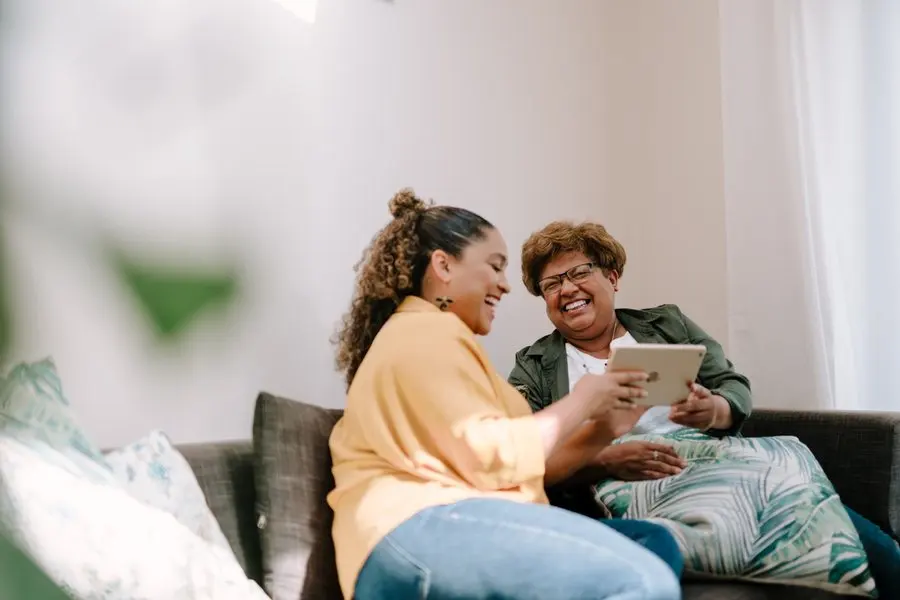
What a training visit includes
No projector, no workbook, no group. Here's what the hour actually contains:
- One-on-one time with one technician (there are two of us in the whole company, and you get one of us entirely)
- Your written question list, worked top to bottom
- You at the keyboard or holding the phone, doing each thing yourself while we talk you through it
- Plain-English explanations, repeated as many times as it takes
- Real fixes along the way: when the answer is a setting, we change it together instead of just describing it
- Step-by-step notes, written down during the visit, for anything you'll do again
Kitchen tables from Prescott to Dewey-Humboldt
Lessons happen at kitchen tables across Prescott, Prescott Valley, Chino Valley and Dewey-Humboldt, with the actual computer and the actual printer, which beats any classroom because the steps you practice are on the machines you own.
The visit often does double duty. The forced sign-outs and update surprises behind most of our reconnection calls are the same events that generate training questions, so it's common for a lesson to start by fixing the email and end by teaching how to keep it fixed. Chino Valley and Dewey-Humboldt cost exactly the same as downtown Prescott, with no trip fee anywhere in the Quad Cities.
Since 2017 we've worked with more than 800 clients, handled by two background-checked technicians, with a 5.0 rating across 185 Google reviews. That history is why the scam lesson is so specific. What we actually clean up locally is scam callers who talk someone into granting remote access, then leave ScreenConnect on the machine so they can come back later; we find it, remove it, and teach you how that call sounds before it ever comes.
Lessons at the shop, once it opens
The Tek Shop opens at 3741 Karicio Ln, Ste 2 in Prescott on November 1, 2026, and teaching is part of what it's for. We plan to run free group sessions there. They'll be informal to start with, so the topics will follow whatever the room is stuck on rather than a syllabus.
One-on-one lessons are billed by the hour rather than by flat tier. At the shop that's the standard $160 an hour with a 30-minute minimum, so a half hour is $80, the same as a half-hour remote session. In your home the minimum is a full hour, which is the one thing that changes with the address.
The reason most lessons still happen at home is that the machines do. Practicing on your own computer, with your own printer in the next room, is why the steps stick. A lesson at the shop suits a laptop question, or a phone you can carry in.

How the hour is billed
Training runs at the same rate as everything else we do: $160 an hour on-site with a 1-hour minimum, or $80 for a 30-minute remote session. There's no separate training rate and no course fee; it's a service call where the service is you getting better at this.
The same honesty rules apply, too. On a repair call our standard is an action plan inside the first 30 minutes and a check-in before any extra billable time; in a lesson, the version of that is the flag at the hour mark: we tell you we're getting close and ask how much more time you'd like to spend. Nobody discovers the length of the visit from the invoice.
“Chris was very professional, knowledgeable, patient, and did his best to explain everything he was doing to someone who is not very tech savvy. We definitely needed his services and I'll be glad to have him back again if and when we have other issues!”
Keep it from happening again

Our recommendation: OneStop Standard
Lessons generate exactly one follow-up pattern: a small question, a week later. Standard turns those into free phone and remote calls for $35 a month, cheaper than saving them up for another hour.
OneStop Standard is $35/month.
Prefer to try it yourself first?
Free guides from our Tech Tips
Written by the same techs who'd answer your call. No strings attached.
-
 Scams Going Around Prescott Right Now The scams our clients are actually seeing this season. Fake Microsoft pop-ups, bank impersonation texts, Medicare calls, and the gift-card tell.
 -
 Password Managers and Safe Password Practices (The Realistic Version) Why one strong password isn't the goal, what a password manager actually does, and a realistic security setup for a normal household (no paranoia required).
Common questions
How much do computer lessons cost?
Training is billed at our regular rate: $160 an hour in your home with a 1-hour minimum, or $80 for a 30-minute remote session. No trip fee, no diagnostic fee, and OneStop members take phone and remote lessons free. Full rates are on the pricing page.
How long does a lesson take?
Most on-site visits of any kind run 1 to 2 hours, and lessons are no exception. A written list of questions is the best way to make a single hour cover a lot.
Can we do this by remote instead of in person?
Yes. A remote session puts us on your screen while you keep control of the mouse, and it works well for follow-up questions and shorter lists. Remote and phone reach anywhere in the country; in-person lessons cover the Quad Cities.
I have a Mac and an iPhone. Can you teach those?
Yes. Most of our clients run Windows, but we work with Macs too, and we help with iPhones and iPads (setup and how-to, not hardware repair). 'How do I get the photos off my phone' is one of the most natural lesson topics there is.
What if I don't get it the first time?
Then we go through it again, slower and in different words. Repetition is the normal way people learn this, not a failure. It's also why we write the steps down during the visit: next week you follow your own notes instead of your memory.
What if the problem turns out to be broken, not confusing?
It happens. A teach-me-the-printer hour sometimes uncovers a printer that genuinely doesn't work. The lesson simply becomes a fix at the same hourly rate with no separate diagnostic fee, and if something can't be fixed at all, you pay for the time spent and nothing more.
What should I do before the visit?
Write your questions down: every one of them, in any order, including the ones that feel too small to mention. That single piece of paper is the difference between an hour that answers three questions and an hour that answers ten. Have the devices involved charged and nearby, and if you keep passwords written somewhere, know where.
Can you teach me to spot scams?
It's one of our most-requested topics, and the lesson is local: what we actually clean up around Prescott is scam calls that talk people into granting remote access, and fake pop-up virus warnings. We show you how each one sounds and looks, and what your bank and Microsoft will never do. We also keep a running list of scams going around Prescott right now, so when something suspicious lands you can check it against what's actually circulating.
Is this a class?
No. It's one learner, one technician, and your own devices. There are only two of us at TekStop, so nothing about the hour is scripted; it's shaped entirely by your list.
Are my questions too basic to pay for?
They aren't. Phone basics and email sit at the very top of our request list. The questions people apologize for are the ones we answer most often, and nobody here is grading you.
I have one small question every week. Should I book an hour each time?
No, and that pattern is exactly what OneStop Standard exists for. At $35 a month, phone and remote support are unlimited, so small questions become free calls the day you have them instead of a saved-up list, and you get 10% off labor on any in-home visit.
We provide tech training for homes throughout Prescott, Prescott Valley, Chino Valley and Dewey-Humboldt. We also work by phone and remote, nationwide.
In your home
Prescott, Prescott Valley, Chino Valley, Dewey-Humboldt (Arizona's Quad Cities).
By phone & remote
Remote support and OneStop Memberships reach all 50 states.
Get Connected. Stay Supported.
Ready to be done with this?
Call now. If it's remotely fixable, it can be handled today.
Call TekStop at (928) 583-4454 Monday–Friday, 8am–5pm. Closed all federal holidays and Black Friday.
After hours, you'll get an emergency option. Emergency work is billed at $320/hour.