When Something Breaks
Remote, In-Home or Drop-Off? Which Computer Repair You Actually Need
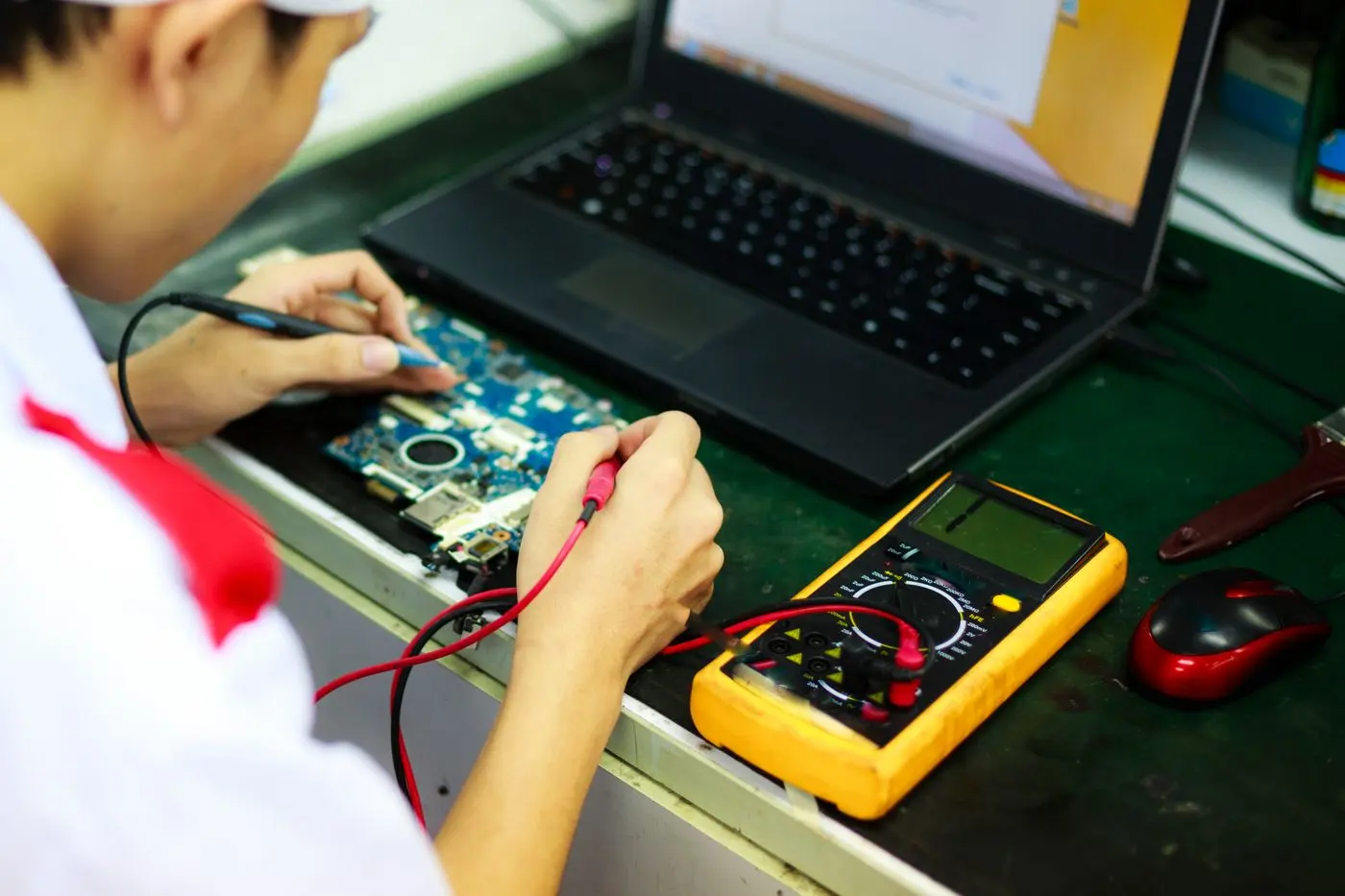
When someone calls us about a computer, they usually arrive with a theory. The computer is dying. Windows broke something. The hard drive needs replacing. It has to be the computer, because the internet seems fine.
After doing this in Prescott-area homes since 2017, we have learned not to take the first diagnosis too seriously. The symptom somebody notices and the cause underneath it are often two different things, and a good part of the job is working out which problem you actually have before any money gets spent in the wrong place.
That matters for a practical reason: it decides where the repair should happen. There are three ways to get a computer fixed here, and picking the wrong one wastes an afternoon.
“Slow” is a symptom, not a diagnosis
Slow is probably the most common word we hear, and on its own it tells us almost nothing.
A computer can feel slow because the machine is struggling. It can also feel slow because the internet is weak, the browser is overloaded, too many programs launch at startup, the storage is nearly full, or an update did not finish properly.
There is a quick test that splits those apart, and you can run it before calling anyone. If Word opens normally, your files open normally, and the machine responds quickly right up until you open a website, that points somewhere very different from a computer that takes five minutes just to reach the desktop. The first is almost never a hardware problem. The second often is.
If it is the machine itself, our guide on how to fix a slow computer covers the causes worth checking first, most of which cost nothing. If it looks like the connection, there is a separate guide on how to tell whether your internet is actually down.
Prescott houses make internet problems look like computer problems
This comes up often enough locally to be worth its own heading.
Prescott has a lot of older homes, unusual layouts, thick walls, detached garages and workshops, and houses where the router ended up in whichever room happened to have the connection installed. All of that makes dead zones and unstable WiFi.
From the chair in front of the computer, the symptom is simple: everything online is slow. It is an easy jump to “the computer needs repair” when the real problem is that the machine has a poor path to the router.
The same thing happens with printers, smart TVs, cameras and tablets. When several devices in one part of the house start misbehaving around the same time, we stop treating them as separate failures and start looking at the network. That is WiFi and networking work, not computer repair, and the fix is usually in a different room from the symptom.
Software causes more trouble than people expect
Not every repair involves opening anything.
A lot of what we do starts with something that changed. An update installed. Email stopped syncing. A browser started redirecting. A printer vanished. A program that worked yesterday will not open today. Any of those can make a computer feel completely broken while the hardware is perfectly fine.
The regulars:
- Email and account problems
- Browser trouble and redirects
- Failed or half-finished updates
- Malware and suspicious software
- Printers that stopped talking to the computer
- Programs that will not open
- Settings that changed on their own
- Startup problems
- Password and login trouble
If the computer turns on and still reaches the internet, most of these can be diagnosed in a remote session. That is usually faster than unplugging everything, driving somewhere, and trying to reproduce the same fault in a different room on a different network.
When the computer will not turn on at all
A completely dead machine is a different conversation. Now we may be looking at power, storage, memory, the motherboard, or another physical fault.
Even then, the first question is not always “can this be repaired?” Quite often the better question is “what is on here that we need to save?”
A computer can fail while the drive holding your photos, documents and tax records is perfectly readable. If the machine is older, pulling the data off and moving it to a replacement can make a great deal more sense than spending heavily on the old one. That is data recovery, and it is a different job with a different price from a repair.
Is it worth repairing at all?
This is where experience counts for more than knowing how to swap a part.
A repair can be entirely possible and still be a poor use of money. We start looking harder at replacement at around the five-year mark, especially when the repair is expensive or the machine already has other limits.
A three-year-old higher-end computer with one fixable fault is a completely different proposition from a seven-year-old basic laptop that is slow, nearly out of storage and already struggling with current software. The cost of the repair matters, but so does what you get back when it is finished. If the computer is still going to be slow and awkward afterwards, replacing one failed part may only postpone the decision. Our article on when to replace your computer goes through that properly.
If the answer is replacement, we would rather say so before the money is spent than after. For a lot of people the better path is to recover what matters, choose a machine, and make the switch painless, which is what new computer setup is for.
So which of the three do you need?
Here is the short version.
A remote session suits anything where the computer still turns on and still has internet: software faults, email, browsers, updates, settings, malware, login trouble. It is $160 an hour with a 30-minute minimum, so a short session starts at $80, and it is often the same day. Nothing gets unplugged and nothing goes in the car.
An in-home visit suits anything where the house is part of the problem. The computer cannot find the printer. The internet drops in one room. A desktop will not hold WiFi. A scanner works on one machine and not another. Several devices started playing up at once. Take the computer out of that environment and you have removed half the evidence. In-home work is $160 an hour with a one-hour minimum, with no trip fee and no diagnostic fee, across Prescott, Prescott Valley, Chino Valley and Dewey-Humboldt.
A drop-off at the Tek Shop suits anything contained to the machine itself that needs hands on it: it will not start, it needs parts, it needs the bench. The counter is at 3741 Karicio Ln, Ste #2 in Prescott. Shop labor is flat-rate by the type of job rather than billed by the hour, so you hear the price before you hand anything over. What the Tek Shop does, and what it costs lays out the tiers.
If you are not sure which bucket yours falls into, that is a perfectly normal place to start from, and it is a two-minute phone call rather than a diagnosis you have to make yourself.
What we have learned doing this here
Most people are not especially interested in which component, driver, setting or background process caused it. They want the computer to work, the files to still be there, the printer to print, and email to open without a fight.
That is why a repair starts with diagnosis rather than assumption. Sometimes the answer is fixing the computer. Sometimes it is the WiFi, or malware, or a software fault, or a machine that has simply reached the end of being worth keeping.
If you are dealing with one of these in Prescott and are not sure which it is, get in touch and we will work out whether the next step is remote, in-home, the bench, or a replacement. Full detail on the hands-on side is on the computer repair page, and every rate is on the pricing page.